Best Buy Digital Signage
How North America's largest electronics retailer uses screens to sell more screens. It's beautifully meta.
Get Started Free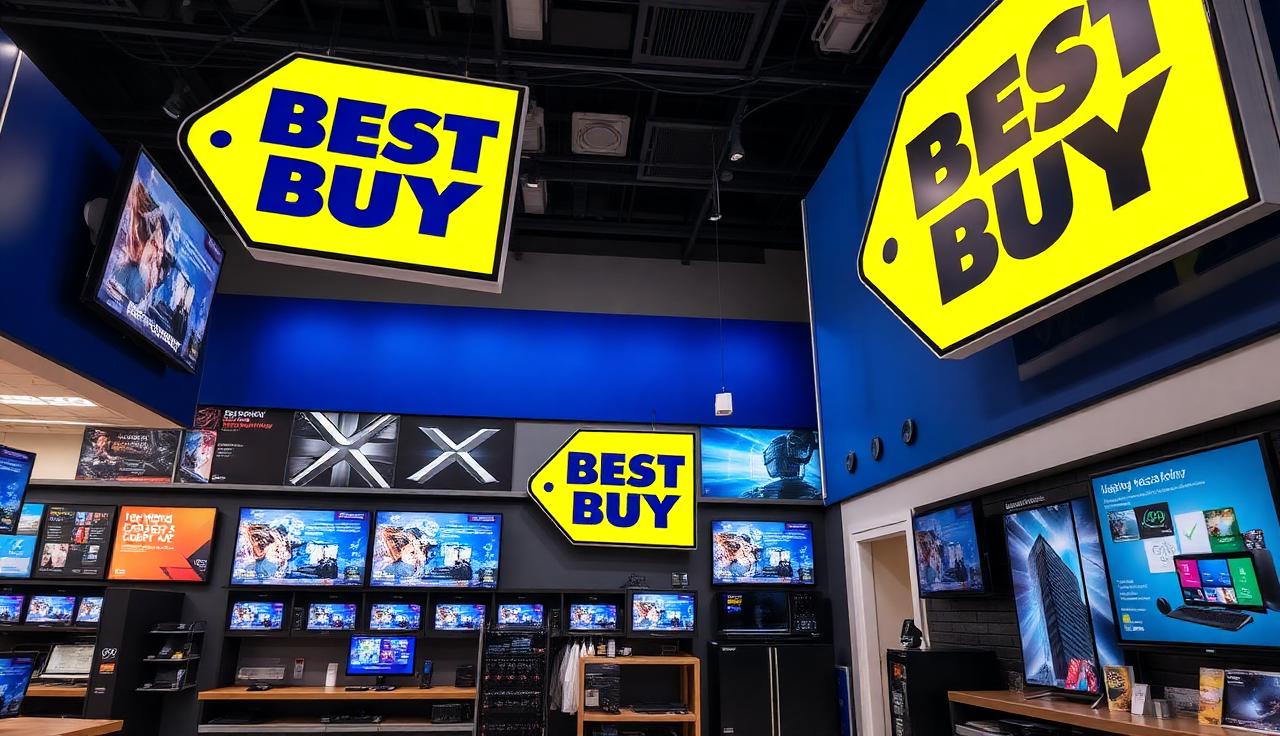
How Best Buy Actually Uses Digital Signage
It's a store full of screens. Using screens. To sell screens. We need to talk about it.
The TV Wall Experience
That massive wall of TVs playing synchronized content? It's not just for show—well, it IS for show, but strategically. Customers inevitably gravitate toward the biggest, brightest screen. The 85-inch OLED. The one that costs as much as a used car. The signage system knows to put the most impressive demos on the most expensive screens. Psychology. In 4K.
The 'I Just Need a Cable' Trap
Digital displays in the cable aisle showing all the reasons you need HDMI 2.1, not HDMI 2.0. By the time you find your cable, you're questioning your entire home theater setup. The screens made you do it. That's their job.
The Gaming Section Chaos
High-refresh monitors displaying gameplay at 240fps while budget monitors show the same content at 60fps. Side by side. The difference is visible. The price difference is also visible. The gaming section digital signage exists to make you feel your current monitor is inadequate. It's working.
The Geek Squad Queue Experience
While you wait for tech support, digital screens show how easy repairs could be if you'd bought the protection plan. Also: tips for problems you didn't know you had. By the time you're called, you're considering a full security audit of your home network.
The Best Buy Digital Signage Checklist
What does optimal electronics retail signage look like? Here's the blue-and-yellow playbook.
TV wall displays with stunning demo content (nature documentaries, always nature documentaries)
Gaming section with live gameplay on high-refresh monitors
Smart home experience area with connected device demos
Mobile device comparison displays
Appliance department spec screens
Checkout displays promoting accessories and protection plans
Department wayfinding (printer ink is in aisle 47, apparently)
Price tag digital displays that update for flash sales
Car audio installation bay screens
A screen that tells you which cable you actually need (coming soon, maybe)
Printer ink price justification display (never coming)
Digital Signage for Electronics Retail
Best Buy stores use digital signage for product demos, wayfinding, and convincing you that you need a bigger TV. You definitely need a bigger TV.
Product Showcase Walls
Massive video walls demonstrating TVs in action. Nothing sells a 4K TV like watching 4K content on a 4K TV. It's science.
Dynamic Pricing Displays
Real-time price updates and flash sales. Black Friday pricing that changes faster than customers can complain.
Department Navigation
Wayfinding displays because nobody knows where the printer ink is. Nobody.
Store Network Management
Centralized content across 1,000+ retail locations. One dashboard, infinite screens.
Black Friday Countdowns
Promotional displays for major sales events. The countdown timer increases urgency (and anxiety).
Tech Demo Stations
Interactive displays for gaming, smart home, and mobile. Let customers break—err, demo—the products.
Implementation Highlights
TV showroom with synchronized 4K and 8K demo content—the ultimate comparison shopping experience
Gaming department with side-by-side refresh rate demos (your eyes can tell the difference, trust them)
Smart home areas with fully connected ecosystems demonstrating what your life could be like if you spent $5,000
Laptop comparison stations with spec overlays and benchmark visualizations
Checkout lanes promoting last-minute accessories, warranties, and Total Tech memberships
Geek Squad service areas with queue management and service information displays
Ready to Transform Your Retail Displays?
Whether you're a single location or a national chain, PosterBooking provides enterprise-grade digital signage. Cable adapters sold separately.